# In-code shell and Python eval
{ .image-clip }
{ .text-center .muted }
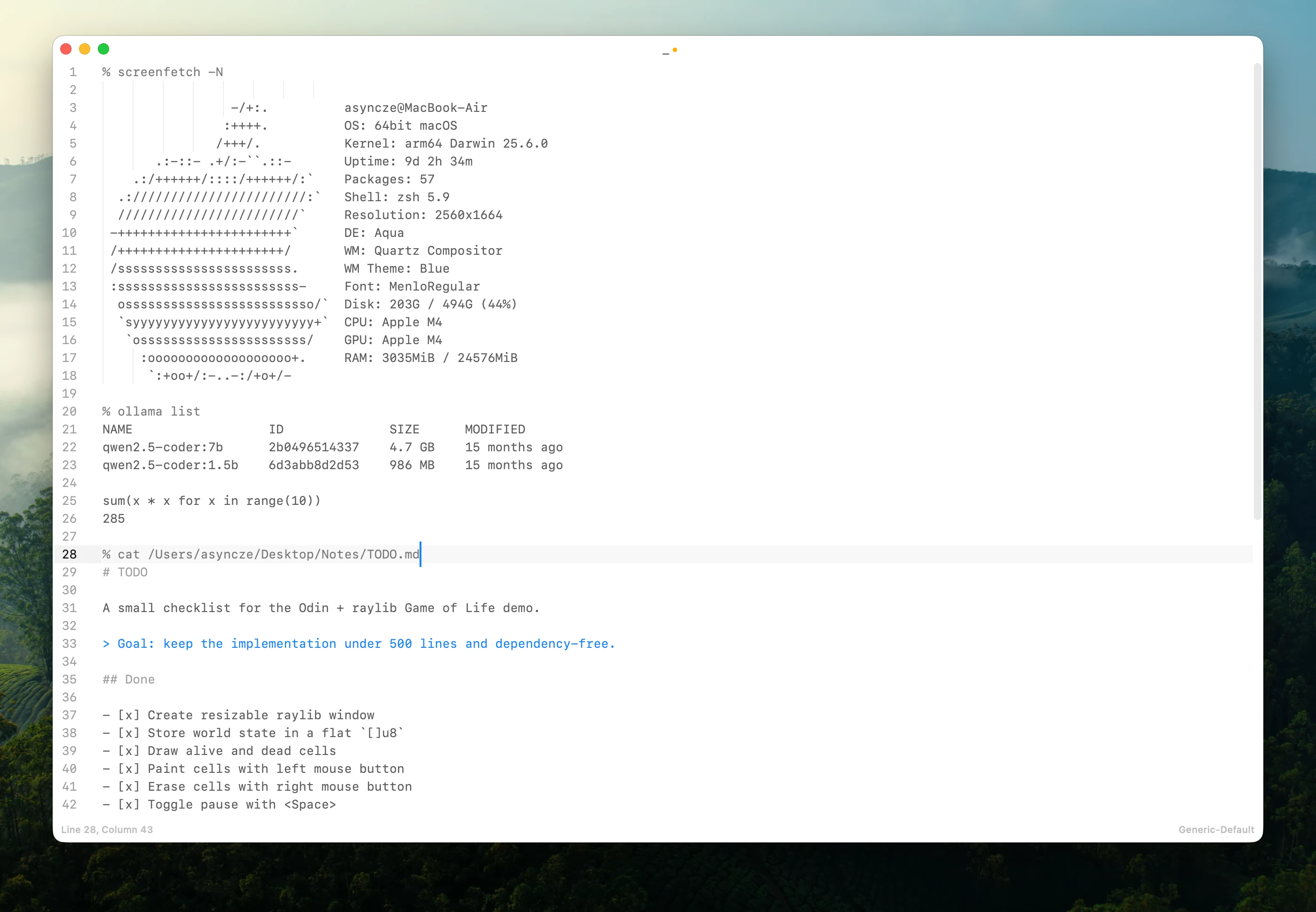
Run shell commands and evaluate Python expressions without leaving the editor.
Commands, expressions, and their results remain ordinary text in the document.
## Overview
Inline commands execute or evaluate the current line directly from the editor.
| Action | Description |
|:------------------------------------------------------------------|:--------------------------------------------------|
| ⌘command ⇧shift ⏎return | Run inline command. |
Koi's Inline command interprets the current line based on its prefix:
- A line starting with `%` is run as a shell command.
- A line without a prefix can be evaluated as a Python expression.
### Configuration
By default, inline commands are only allowed in unsaved buffers, Plain Text, Markdown, and Org-mode files.
The `%` prefix can also be changed in the configuration:
inline_command_in_files
inline_shell_start_symbol
## Inline shell
Start a line with `%`:
% pwd
Place the cursor on the line and run Inline command.
Koi runs the command and inserts its output below:
% pwd
/Users/michael/project
Shell commands run through your shell environment, so the same commands and command-line tools you normally use can be invoked from the document.
## Python eval
In files where inline commands are enabled, a line without a recognized prefix can be evaluated as a Python expression:
sum(x * x for x in range(10))
Place the cursor on the line and run Inline command.
The result is inserted directly below the expression:
sum(x * x for x in range(10))
285
Python eval can be used as a quick calculator or for small transformations:
2 ** 16
65536

", ".join(str(x) for x in range(5))
'0, 1, 2, 3, 4'

print(24*"-")
------------------------
## Why run commands in the document?
Small commands and calculations often don't need a separate Terminal or Python REPL.
Inline commands keep the input, output, and surrounding context together as ordinary text.
You can edit the command, run it again, delete the result, or save everything with the document.
This works particularly well for notes, documentation, debugging, quick calculations, and lightweight executable documents.